30% off at launch on your first subscription with the code
PHOTOMIND30
Until December 1 at 11:59 PM (Madrid time) · until December 1 at 11:59 PM (Madrid time) · See pricing


Type what you remember and find the photo.
PhotoMind looks at each photo once and finds it by what is in it: every wedding, every trip and every commission, one search away. And not a single photo leaves your environment.
Windows · Mac Apple M · Mac IntelStandalone app and Lightroom Classic plugin
You have them. Finding them is the hard part.
The bride asks you for the photo with her grandmother, you took 4,000 and the delivery is tomorrow.
Type “bride with her grandmother” and find the photo without going through the whole wedding.
A client asks you for a photo from three years ago and only remembers that there was a red car in it.
Type “red car” and every one of them comes up, even if you never gave them a keyword.
You are asked for every photo of one person and you have to go through them one by one.
You name them once and find them in every photo they appear in.
PhotoMind also lives inside Lightroom.
It is not just another program to open alongside. You install the plugin and it is right there in your catalog’s menu: you index, you search, and the photos are waiting for you in a collection, with your develop settings. Nothing to export.
- Searches and faces turned into collections
- The worst of each shoot marked in your catalog
- Titles and descriptions written into your photos
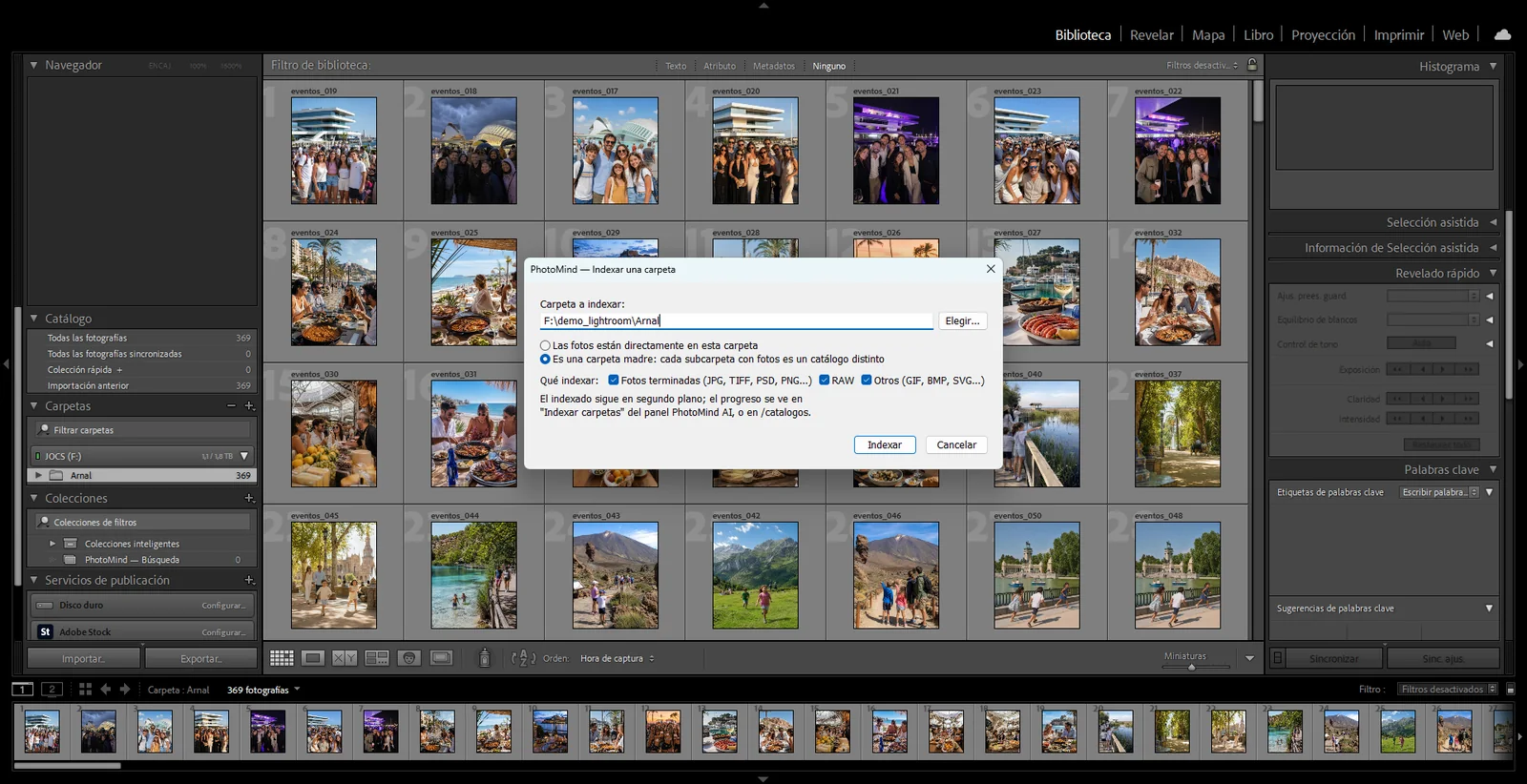 Index from the menu
You choose the folder and keep working. PhotoMind does it in the background.
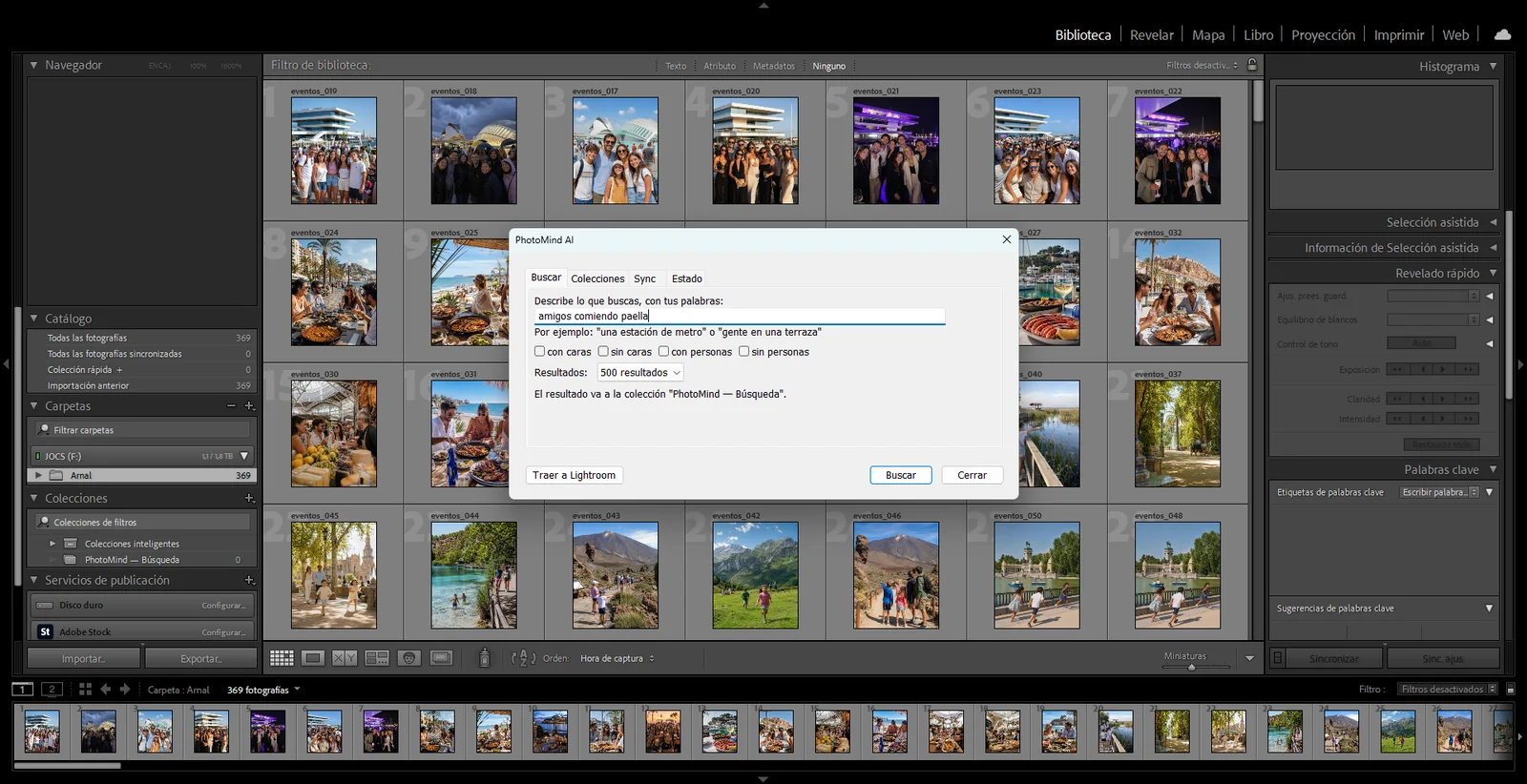 Search in your own words
With faces, without people, whichever you want. The result goes into a collection.
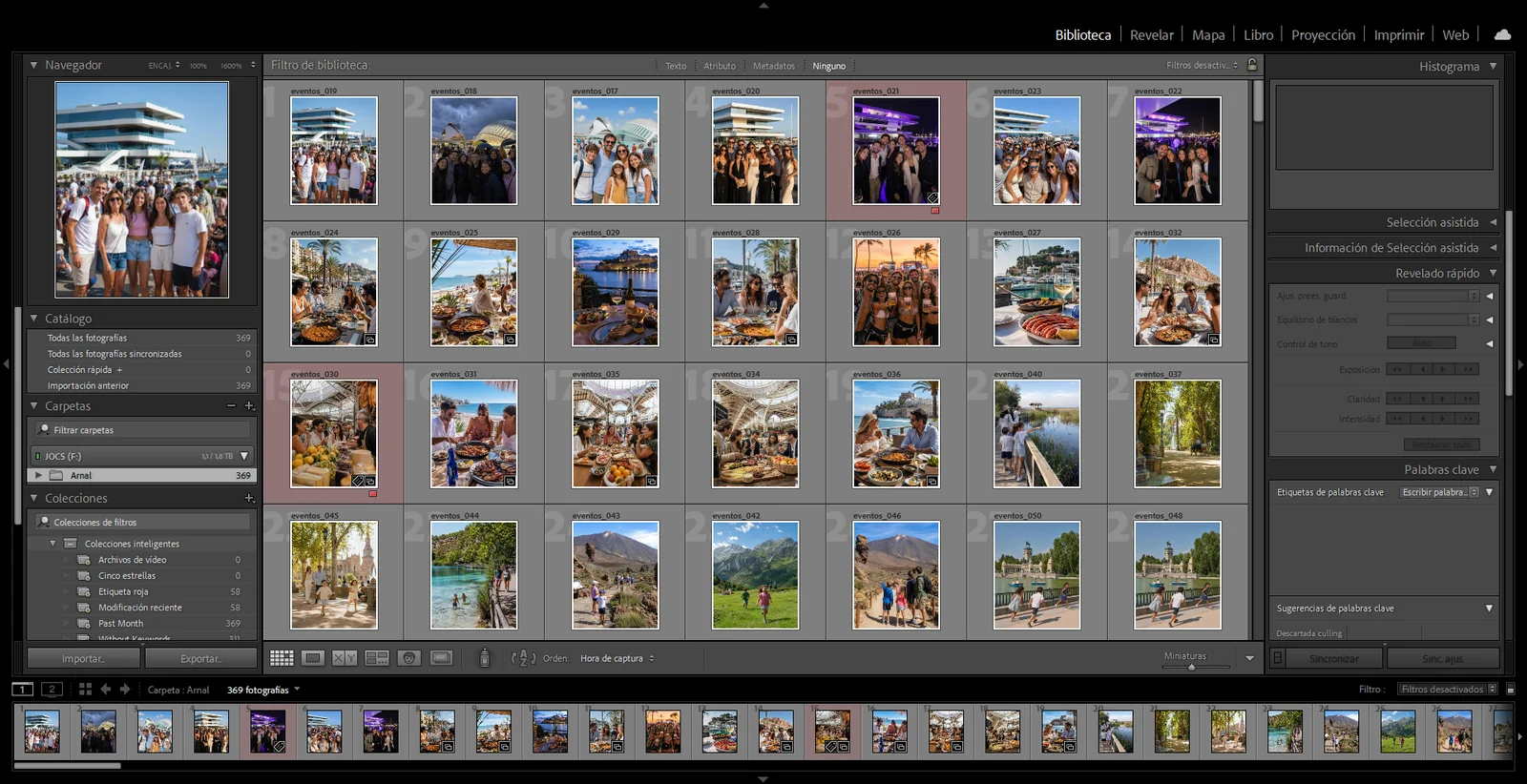 Discard in seconds
Shaky or out-of-focus shots, marked with a flag or color for you to review.
What it saves you every week.
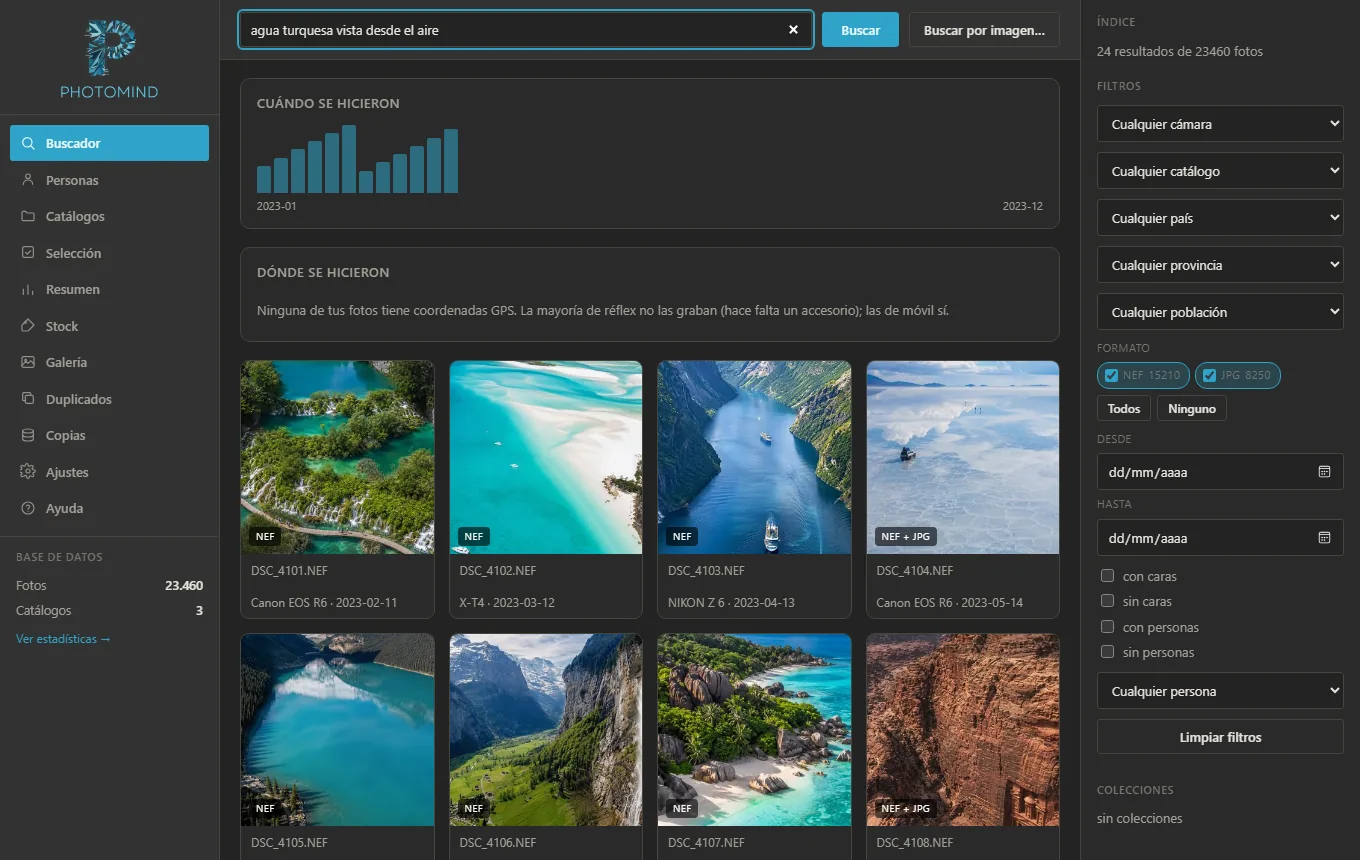
By what is in it, not by what it is called.
“Couple on the beach at sunset”, “cake with candles”, “sign with the word exit”. No keywords or neatly organized folders needed.
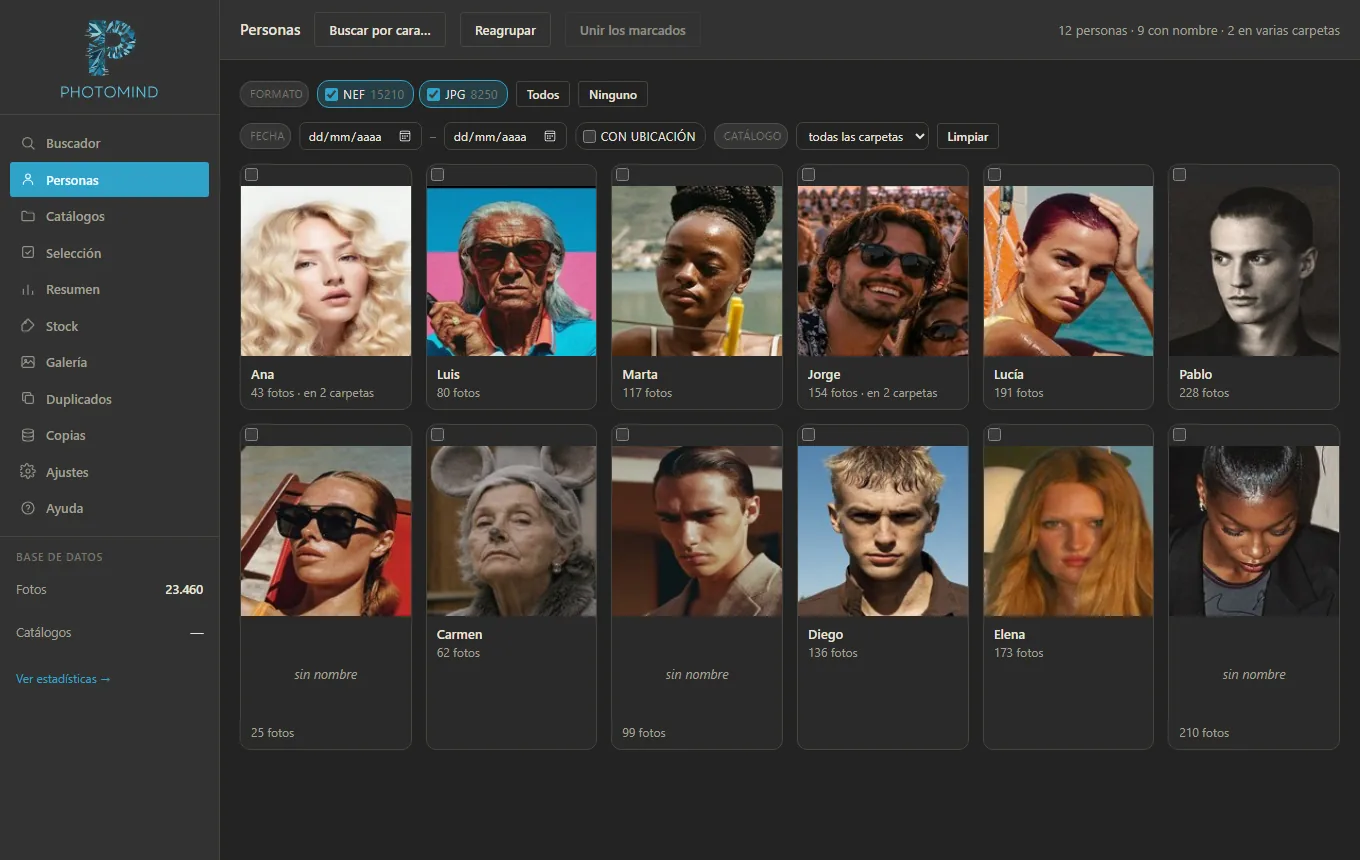
Enter a name and it finds that person across the whole archive.
Groups the faces of the same person. You name them once and they are in every photo they appear in.
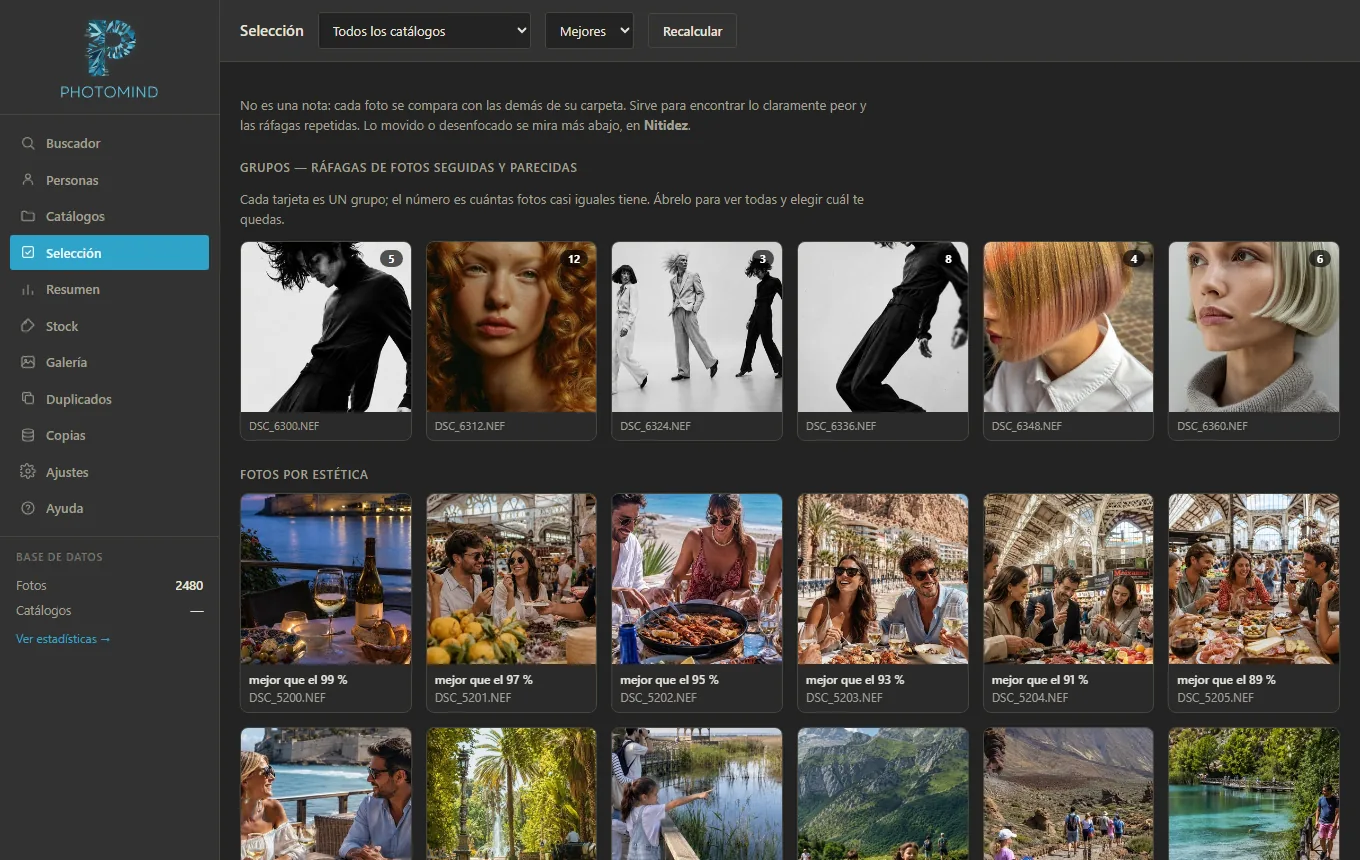
The first cull of a wedding, done.
Flags blurry shots and closed eyes, judging by the face and not by the background. You decide; it takes the heavy lifting off your hands.
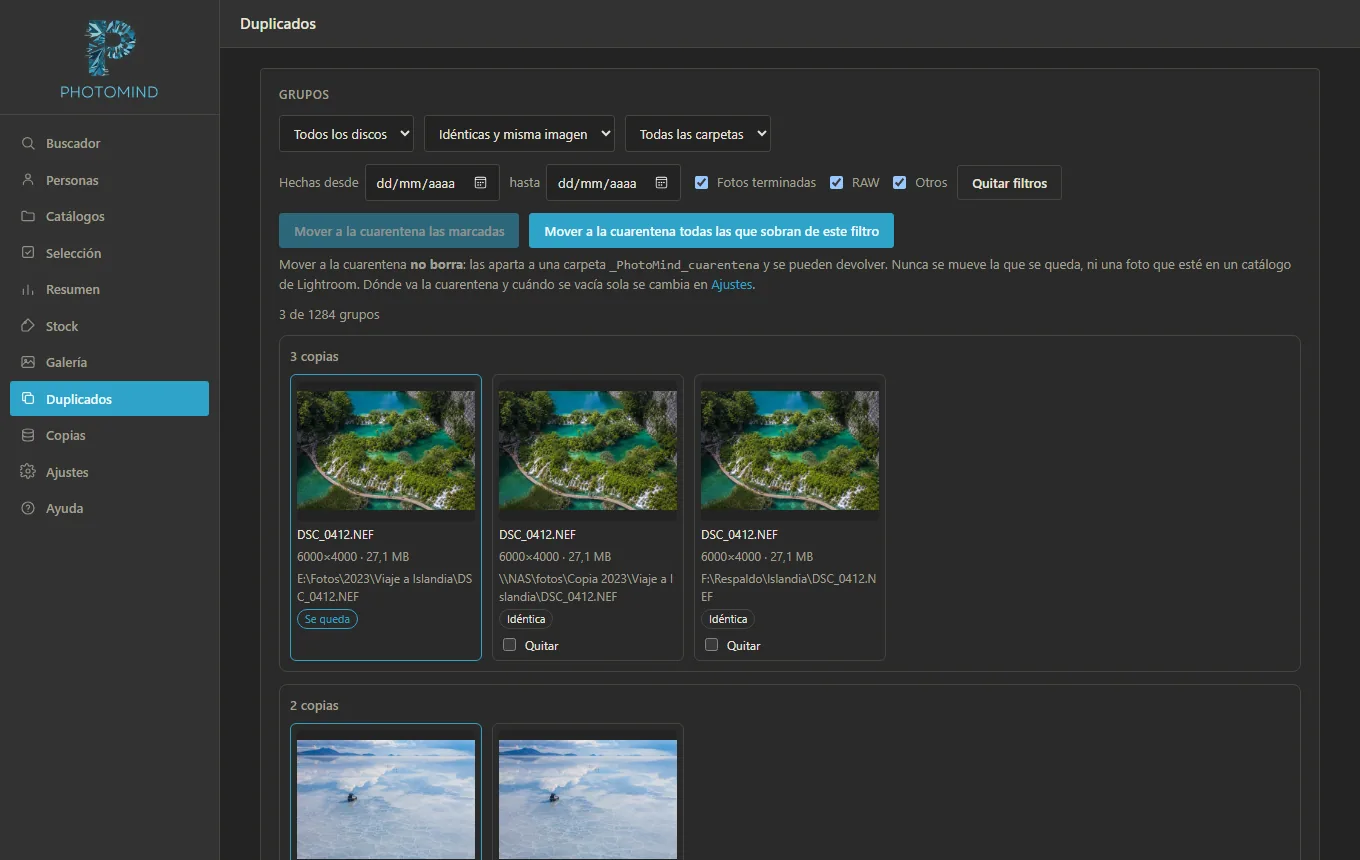
Repeated copies, across disks and folders.
Finds the same photo even if it has a different name, and moves the worst ones to a quarantine you can recover them from.
Everything the subscription unlocks.
Search
With your own words, with another photo or with a face. With filters, dates and a map, and saved collections.
People
Groups each person’s faces, even as the years go by, and sorts them by age.
Culling
Bursts, sharpness judged by the face, and closed eyes. You decide.
Duplicates
Copies and near-identical photos, with a quarantine to recover them from.
Lightroom
Lightroom Classic plugin: collections, flags, titles and descriptions.
Your develop style
It learns from what you have already edited and gives it back to you as a preset.
Delivery gallery
For your clients, with a password, selfie search and pay-per-download.
Export to stock
Prepares the photos and uploads them to your agencies by FTP.
Backups
Automatic, and they can be restored to another disk.
Receive photos from the camera
By FTP, straight into your archive. If you turn it on.
Remote access
Your archive from your phone, with two-step verification. Off until you turn it on.
Automatic descriptions
A text for each photo, written on your own machine. It is optional.
No cloud, unless you want your own AI.
The program works fully without connecting anything. If you would like to ask it questions in your own words, plug in the assistant you already pay for: your ChatGPT subscription or the key for the AI you prefer.
- ChatGPT with your subscription
- OpenAI
- Claude
- Gemini
- DeepSeek
- Kimi
- Grok
- Groq
Your files are not uploaded. You set up the connection, with your own account, and remove it whenever you like. Only the text of your question is sent, never a photo.
Try it for seven days with your whole archive.
Before paying, index everything you have and check it with your own searches. Whatever is indexed during the trial is kept: when you subscribe, there is no need to start again.
7 days
In the trial
- You index your whole archive
- You search by what your files contain, in your own words
- Everything on your computer
The link arrives by email. Once you open it, click “Try it free for 7 days”: no card needed.
Subscribing unlocks every PhotoMind feature
- People and face search
- Culling and duplicates
- Lightroom Classic plugin
- Your develop style
- Delivery galleries and export to stock
- Backups, remote access and camera FTP
One price. Everything included.
All features, updates and support. For one computer. Cancel whenever you like.
Launch offer: 30% off your first payment (the first month or the first year) with the code PHOTOMIND30, until December 1 at 11:59 PM (Madrid time).
Monthly
€9.68 / month
€8 + 21% VAT.
€9.68 / month
€6.78 first month
With the code PHOTOMIND30, already applied at checkout. Afterwards, €9.68 / month.
SubscribeAnnual
€106.48 / year
€88 + 21% VAT. You save €8 (excl. VAT).
€106.48 / year
€74.54 first year
With the code PHOTOMIND30, already applied at checkout. Afterwards, €106.48 / year.
SubscribeYou pay by card on Stripe and the key arrives in your inbox straight away, with the link to download it. If you are already trying it, you paste the key and everything indexed stays. By paying, you accept the terms of purchase.
Windows, Mac with Apple chip and Mac Intel.
How many photos per hour on your machine?
We will send the PhotoMind link to your email.
Enter your email: first you will receive an email to confirm it and, once confirmed, your personal download link, with the steps to install it. For Windows, Mac with Apple chip and Mac with Intel.
Once it is open, click “Try it free for 7 days”: no card needed, and with your whole archive.
Shall we get started?
To request your license, before you decide or if you already use it. A real person replies.
Also at soporte@samretriever.com.